¶ AR Mural Summer 2026
Riyana Chaudhary, Ethan Yung, and Heeun Kim
Project Summary: An augmented reality project that allows users to draw in a 3D workspace or “mural”
Tools / Platforms: Unity, VS Code for C# editing, MRTK, Microsoft HoloLens 2, MQTT Broker, PostgreSQL
¶ Links
Unity/Client Gitlab: https://gitlab.orbit-lab.org/eyung/ar-mural-client-summer-2026
Server Gitlab: https://gitlab.orbit-lab.org/Maelle/ar-mural-server (no changes made from Fall '25)
Fixing Common Deployment Errors: https://www.cosmos-lab.org/e/en/wiki/public/summer/2026/AR-mural/fixproblems
Documentation: https://www.cosmos-lab.org/e/en/wiki/public/summer/2026/AR-mural/documentation
Final Presentation: https://docs.google.com/presentation/d/1nzEa4_t9BvDEh52CAWPb_e5oebFTGimHABcORsdg9Go/edit?usp=sharing
¶ Week 1
Progress: Familiarized with HoloLens headset, viewed 2025 Demo, Site, and GitLab, Attempted to download all needed software for the project on personal laptop, Pulled the git to PC and laptop, Reviewed previous codebase and began understanding Unity, Learning how to run project on PC with MRTK
PPT Link: https://docs.google.com/presentation/d/1U7yeaV1pAOr2gxQ8wQAt7AP0CSEaj6ue9IhQWTbqOZM/edit?usp=sharing
¶ Week 2
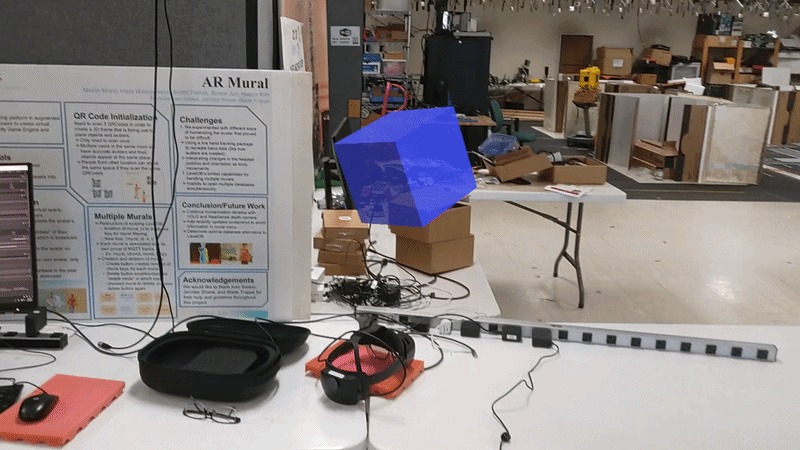
Progress: We built a Test/Intro project using Unity, which gave us an understanding of the problems with Unity and VS version compatibility. We were also able to understand Unity project structure, including auto-generated files, packages (e.g. MRTK tools), scripts (C# code), building scenes and Materials, using Inspector (e.g. gravity), and utilizing MRTK features (e.g. Object Manipulator)
We were also able to deploy a version of the project to the headset over wifi (directions in pptx for future)
Problem: All older versions have code errors, and the newer one has an MQTT error.
PPT Link: https://docs.google.com/presentation/d/1vMLTylHuyYfOBedydIa_ovIomge5BnV2kkdiC_952d4/edit?usp=sharing
¶ Week 3
Progress: We successfully connected the server to the Unity Game engine, which fixed the MQTT network error. We thoroughly documented how to connect the server. We did a deep dive into compilation software and cmake to reduce and understand other compatibility errors.
- ssh into server from terminal
- Open server file and run server file using dotnet (Ask Jenny for password to server and server name)
- Open Mural menu scene in Unity
- Selected ClientManager (GameObject)
- Confirm server information into fields
- Use MRTK to run project on PC
PPT Link: https://docs.google.com/presentation/d/1p7L4xhsVhDmrbp60kQTsuLJDJS6HdPsZuEJZqEIP1tI/edit?usp=sharing
¶ Week 4
Progress: We read through the database server-side files and the client files in Unity. We understood how they interact with each other across many files and developed a strong understanding of the architecture of the project. We began analyzing the database to see where the information might be stored incorrectly (Murals are not saving). We have also discovered a lag in the HoloLens.
PPT Link: https://docs.google.com/presentation/d/1r6Mq8oLVWPLcG6UfSQrYG5p-SWxtoj7677aO8KBgN10/edit?usp=sharing
¶ Week 5
Progress: We successfully compiled the project in a debugger mode that allows us to see the debug log. And we downloaded extensions for spatial anchors and integrated them into the project. This allowed us to create the first successful Spatial Anchor in the project.
PPT Link: https://docs.google.com/presentation/d/12T9Qm0yHO0UldhM2VMBWBZWHD6YjNUA-y4ZAiiDEbbw/edit?usp=sharing
¶ Week 6
Progress: We noticed that after drawing a mural and exiting the code, the mural did not save or respawn under any circumstances. After thorough review, we learned that the storage allocated for the project was full, so we allocated more space. After allocating more space, we learned that once exiting the mural and reentering, all objects respawned 5 feet into the ceiling. We also found that multiple headsets needed to be initialized in the exact same position for murals to appear accurately and that there is a large lag in headset communication. We began developing thorough documentation on how to fix each compilation and other error we encountered.
PPT Link: https://docs.google.com/presentation/d/1sBEbxExATIM5n1_jHFwuruX5bHuA3ULgUBnCleMFz84/edit?usp=sharing
¶ Week 7
Progress: Onboarded high school intern Heeun and provided a debugging tool project to make QR code debugging errors easier to solve. The website should access the database and visualize its information in Three.js. Began attempting to build debugging tools since Debug.log was hard to access and overloaded the console. Debugging tools: Extra visualization in Unity when the app is run, visible origin anchor, etc.
PPT Link: https://docs.google.com/presentation/d/1VFjNs_JcOi5Xa0nVZ_0XSPVuBz1QcUpeYOaW3EHR_hs/edit?usp=sharing
¶ Week 8
Progress: Backtracked on the Mural Anchor Placement file to debug the entire mural placement system. Found mural-to-mural errors caused by an odd reset in multiple murals.Documenting deployment errors & solutions; Documenting overall theory of Brush Rendering; Documenting how GameObjects are attached to script; Documenting where Awakes are invoked and received
PPT Link: https://docs.google.com/presentation/d/1CP_JwUpgJWz9X9ri4jwOM8gq-pnrchSHxx4q38L9eIQ/edit?usp=sharing
¶ Week 9
Progress: Inspected coroutines and async functions to reduce lag. Found a ceiling error in MRTK XR Rig, recoded every drawing tool file (Brushtool, Shapetool, Linetool, Texttool, etc), JustMonika Frame code, and Client manager (which communicates the coordinate stuff to the database). Solved lag in Avatar placement caused by the frame as well. Finished developing thorough documentation about errors, progress, and files.
PPT Link: https://docs.google.com/presentation/d/1WXGip1k-XES4GWunOaLfyBGfKNJ2N-udRLUKyUmVQzQ/edit?usp=sharing
¶ Obstacles
- Multiple bugs in core code
- Inefficient previous code (Odd workarounds and repetition)
- Lack of documentation