¶ AM/FM Modulation — Education Toolkit (Grade 8)
Observe amplitude modulation (AM) and frequency modulation (FM) wave signals in the time and frequency domain using the COSMOS Education Toolkit web interface running on two SDR nodes.
¶ Overview
This tutorial is part of the COSMOS Education Toolkit and targets a Grade 8 science lesson. Students observe how a carrier wave is modified by an information signal under two modulation schemes — AM (amplitude modulation) and FM (frequency modulation) — and compare the results in time and frequency domain plots delivered through a browser-based interface.
The experiment runs on two preconfigured SDR nodes (sdr2-s1-lg1 as node #1 and sdr2-md1 as node #2). Students interact entirely through the toolkit web interface; no command-line access is required during the lesson itself. Setup (loading the toolkit software) is handled by the testbed operator before the class session begins.
The educational standard addressed is MS-PS4-1: develop a model and use mathematical representations to describe waves including frequency, wavelength, and the relationship between amplitude and energy.
¶ Learning outcomes
After completing this tutorial you will be able to:
- Distinguish between AM and FM modulation by examining time-domain and frequency-domain waveform plots.
- Explain how changing the information signal type (square vs. sine) and carrier frequency affects the modulated waveform.
- Record and compare observations across modulation schemes and articulate interpretations in a scientific discussion.
¶ At a glance
| Difficulty | Beginner |
| Estimated time | One class period |
| Domain / sandbox | Sandbox 1 — console.sb1.cosmos-lab.org |
| Topic group | Education Toolkit |
| Last verified | Node names and image verified 2026-08-03 (lesson not re-run end-to-end) |
¶ Prerequisites
Background knowledge
- Basic wave concepts: frequency, wavelength, amplitude.
- Familiarity with time-domain and frequency-domain representations of signals.
- Completion of the COSMOS Education Toolkit setup tutorial — this tutorial assumes the toolkit is already installed and running on the nodes.
Account & access
- A COSMOS account — register here.
- An approved reservation on the domain above — see Make a reservation.
- SSH access to the domain console (for operator setup) — see SSH access.
¶ Resources required
Devices / nodes
| Resource | Role | Qty | Notes |
|---|---|---|---|
sdr2-s1-lg1 |
Node #1 (transmitter/receiver) | 1 | SDR node on the Main Rooftop SDR deployment; USRP Krypton 2974 via PCIe |
sdr2-md1 |
Node #2 (transmitter/receiver) | 1 | SDR node on the Main Rooftop SDR deployment; USRP Krypton 2974 via PCIe |
Disk images
| Image | Load onto | Provides |
|---|---|---|
education-toolkit.ndz |
sdr2-s1-lg1, sdr2-md1 |
COSMOS Education Toolkit web application + SDR software |
Software components
| Component | Version | Source |
|---|---|---|
| COSMOS Education Toolkit | As shipped in education-toolkit.ndz |
Preinstalled in the toolkit disk image; see the toolkit setup tutorial |
| Toolkit web interface | As shipped in education-toolkit.ndz |
Served on port 80 on each node; forwarded to 8081 (node #1) and 8082 (node #2) |
Spectrum / RF / special
The experiment generates modulated RF signals between the two SDR nodes. Frequency and power parameters are controlled through the toolkit web interface. No manual RF configuration is required by students.
¶ Topology
Two SDR nodes (sdr2-s1-lg1 = node #1, sdr2-md1 = node #2) run the COSMOS Education Toolkit. Each node serves its web interface on port 80, forwarded to the student's laptop as 8081 for node #1 and 8082 for node #2. Students select which node starts the AM or FM experiment via the web UI.
¶ Setup
These steps are performed by the testbed operator (instructor/TA) before the class session. Students do not need console access.
-
Complete all steps in the COSMOS Education Toolkit setup tutorial to load the toolkit image and open the port forwards.
-
Reserve
sdr2-s1-lg1andsdr2-md1on sandbox 1, then log into the console:ssh <username>@console.sb1.cosmos-lab.org -
Make sure the nodes are off before imaging:
omf tell -a offh -t system:topo:allres -
Load the toolkit image onto both nodes:
omf load -i education-toolkit.ndz -t sdr2-s1-lg1,sdr2-md1 -
Turn the nodes on and confirm they are up:
omf tell -a on -t sdr2-s1-lg1,sdr2-md1 omf stat -t sdr2-s1-lg1,sdr2-md1 -
From your laptop, open one terminal per node with X11 and port forwarding. Keep both open for the whole session — closing one drops that node's web interface.
# node #1 ssh -Y <username>@console.sb1.cosmos-lab.org -L 8081:sdr2-s1-lg1:80 -L 8091:sdr2-s1-lg1:8090 -L 8101:sdr2-s1-lg1:8100# node #2 ssh -Y <username>@console.sb1.cosmos-lab.org -L 8082:sdr2-md1:80 -L 8092:sdr2-md1:8090 -L 8102:sdr2-md1:8100 -
Verify each node's web interface loads — the two nodes use different local ports:
Node Web interface Back-end Audio stream sdr2-s1-lg1(node #1)http://localhost:8081 8091 8101 sdr2-md1(node #2)http://localhost:8082 8092 8102
¶ Instructions
¶ Step 1 — Open the toolkit web interface
Open the web interface for the node you are using — each node has its own port:
node #1  sdr2-s1-lg1 : http://localhost:8081
node #2  sdr2-md1    : http://localhost:8082
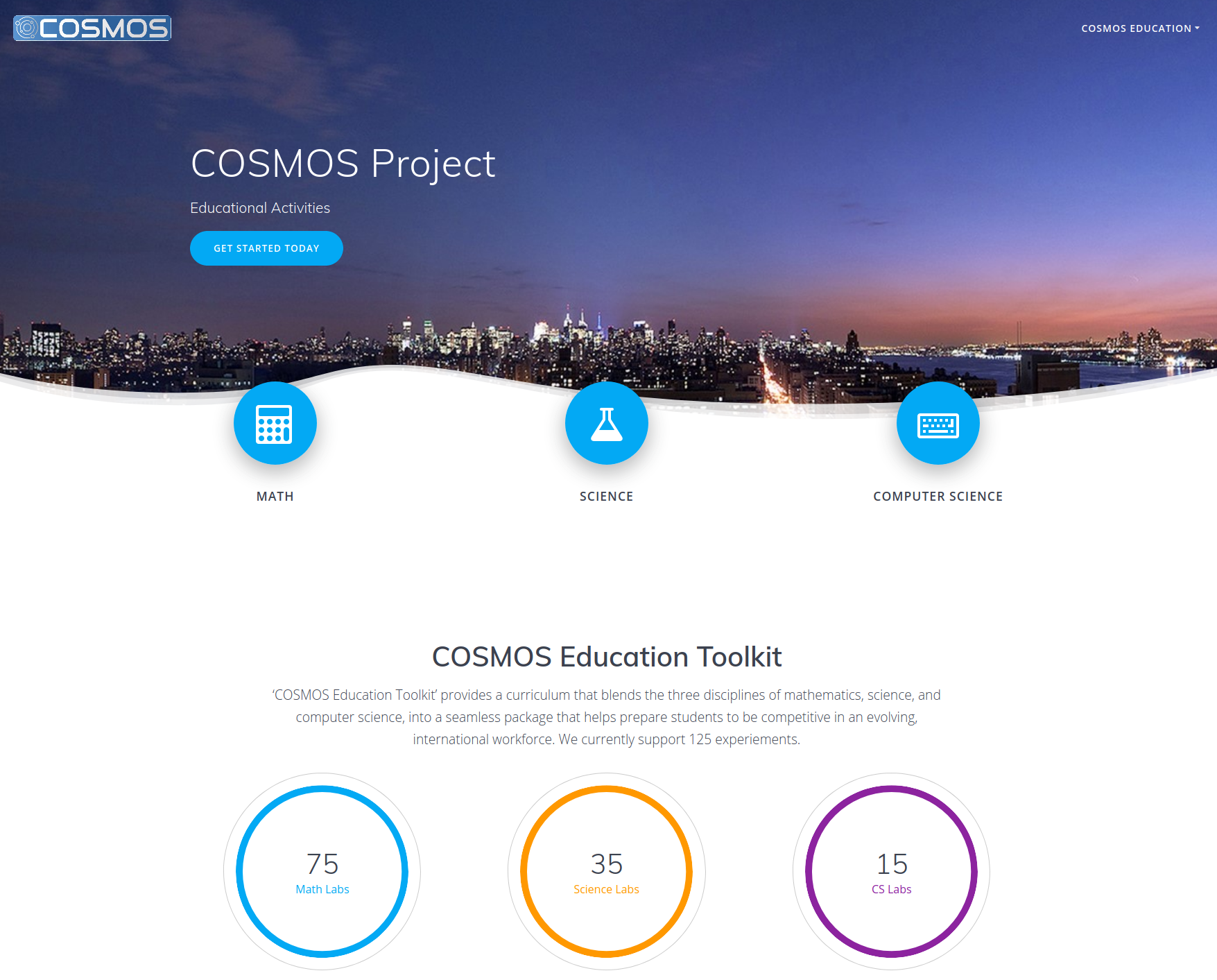
If all steps in the toolkit setup were completed correctly, you should see the toolkit home page.
¶ Step 2 — Navigate to the Grade 8 science lesson
-
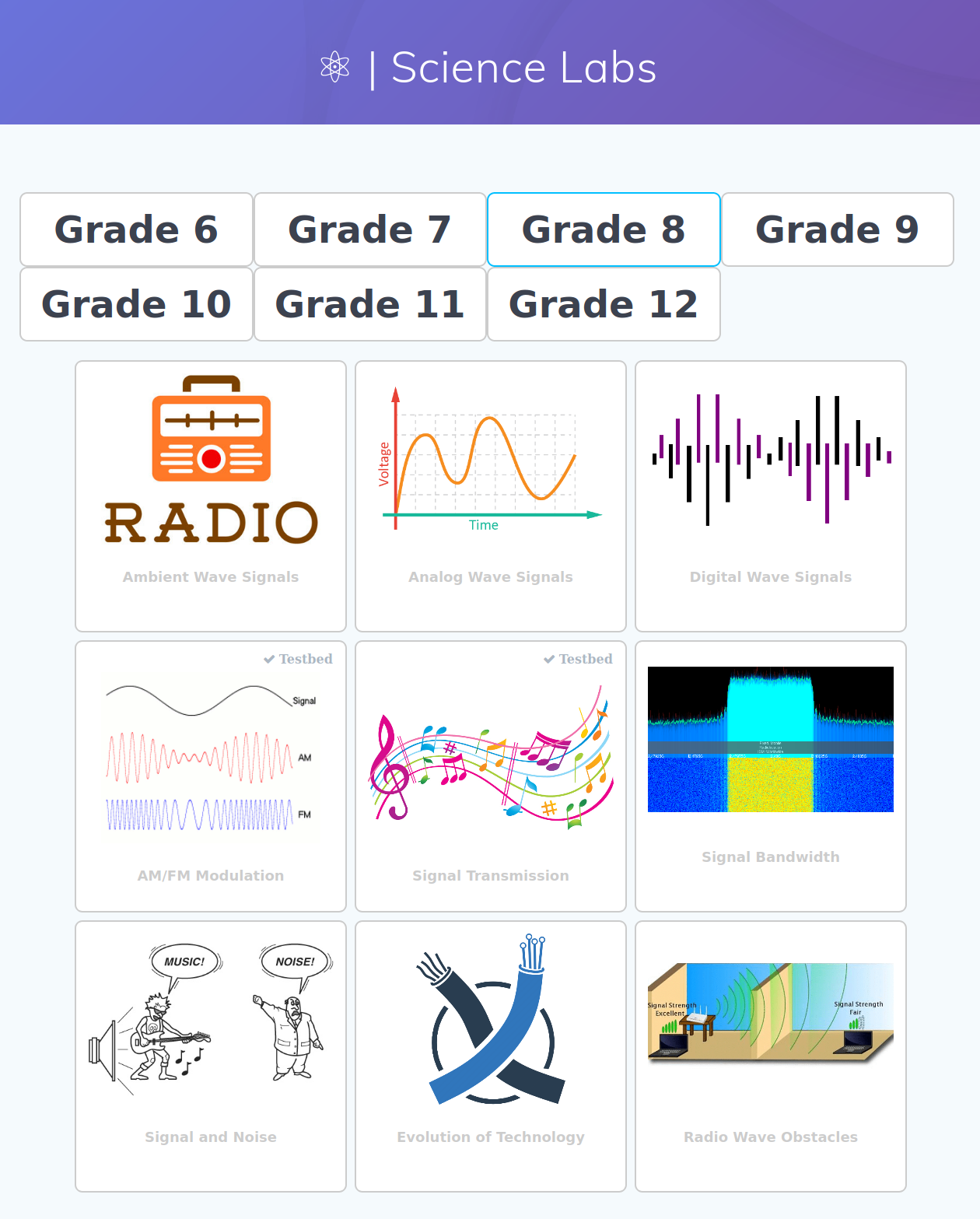
Press the Science radio button to open the science lesson plan webpage.
-
Select Grade 8.
-
Select AM/FM Modulation.
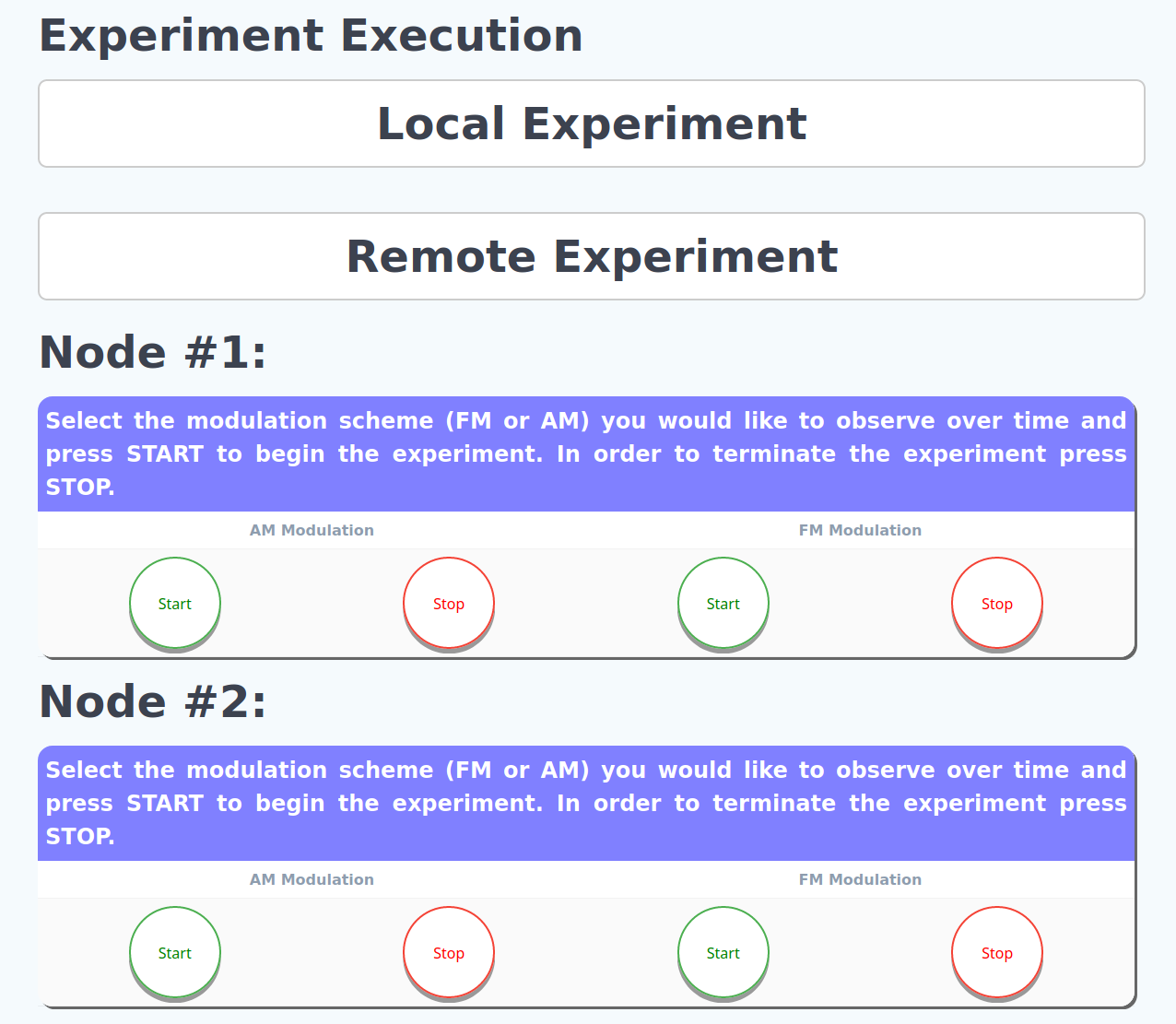
The new page shows a detailed description of the experiment, the educational standards addressed (MS-PS4-1), and the experiment execution instructions. Expand the Remote Experiment section on that page.
Note: The COSMOS Education Toolkit contains 100+ lesson plans and labs. Only a subset currently support remote experimentation on COSMOS. The website is updated over time as more experiments become available for remote execution.
¶ Step 3 — Observe the AM signal
-
Press
STARTon either node #1 (sdr2-s1-lg1) or node #2 (sdr2-md1) to begin the AM experiment. -
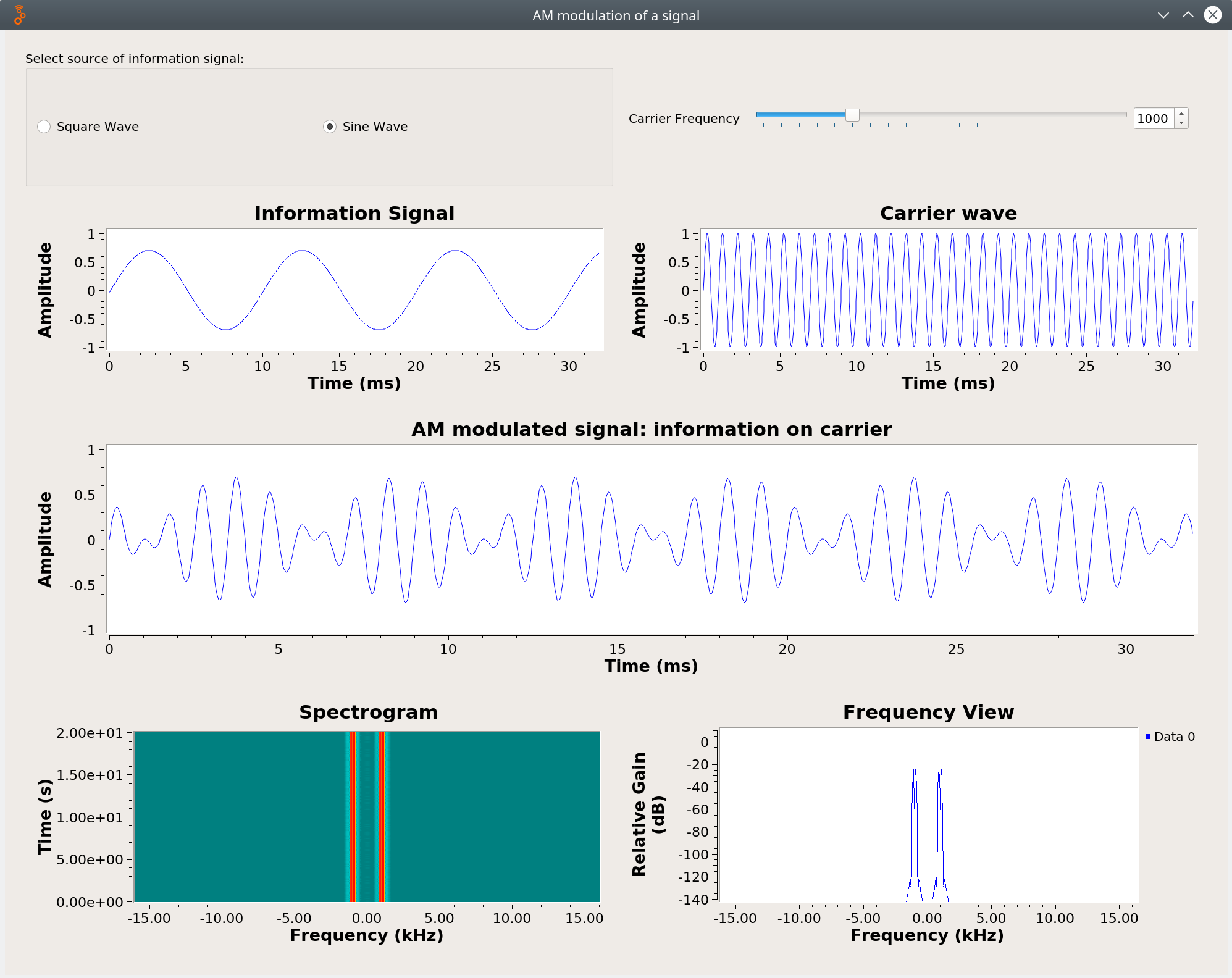
Try different information wave signals (square and sine) and different carrier frequencies. Observe the effect of these two parameters on both the original information signal and the AM signal in the time domain and frequency domain plots.
-
Take notes on your observations.
-
When done, press the appropriate
STOPbutton to complete the AM experiment.
|
|
|---|---|
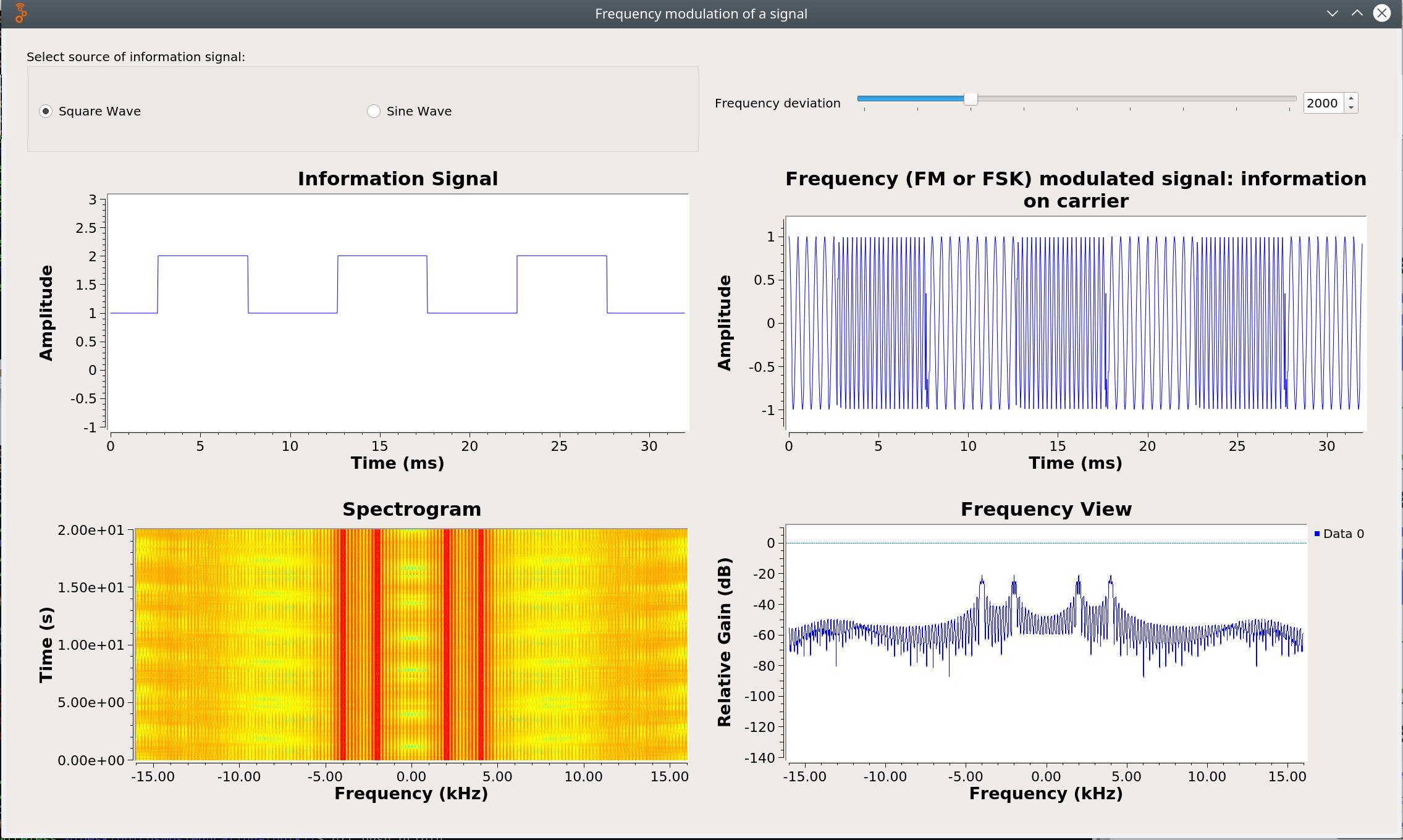
| (a) Amplitude modulation of a signal | (b) Frequency modulation of a signal |
¶ Step 4 — Observe the FM signal
-
Press
STARTon either node #1 or node #2 to begin the FM experiment. -
Repeat the process from Step 3: vary the information wave type (square and sine) and the carrier frequency. Observe the time-domain and frequency-domain plots.
-
Take notes on your observations.
-
Press the appropriate
STOPbutton when done.
¶ Step 5 — Compare and discuss
Compare the AM and FM observations:
- How does the signal look different in the time domain for AM vs. FM?
- How does the signal look different in the frequency domain for AM vs. FM?
- How does the information wave type (square vs. sine) affect the modulated signal in each scheme?
After all students complete their handouts, share out observations and interpretations with the class.
¶ Verification
- The toolkit web interface loads on port 8081 (node #1) and 8082 (node #2).
- Selecting Grade 8 → AM/FM Modulation shows the experiment page with a Remote Experiment section.
- Pressing
STARTproduces live time-domain and frequency-domain waveform plots. - Switching between square and sine information signals produces visibly different waveforms.
- Pressing
STOPhalts the experiment cleanly.
¶ Cleanup
omf tell -a offh -t system:topo:allres
No omf save needed unless the toolkit image was modified.
¶ Troubleshooting
| Symptom | Likely cause | Fix |
|---|---|---|
| Web interface not reachable on port 8081 / 8082 | Toolkit not started / nodes not fully booted | Confirm nodes are ACTIVE via omf stat; SSH into the node and verify the toolkit process is running |
| Waveform plots do not appear after pressing START | SDR not responding or toolkit misconfigured | Verify the toolkit setup steps were completed; restart the toolkit service on the node |
| No Remote Experiment section visible | Toolkit version does not support this lesson remotely | Confirm the correct toolkit disk image is loaded; consult the toolkit setup tutorial |
¶ References
- COSMOS Education Toolkit setup tutorial
- Make a reservation
- SSH access
- NGSS standard MS-PS4-1 — wave properties and mathematical representations
Author(s): COSMOS team (original: Panagiotis Skrimponis, NYU; Nikos Makris, NYU) · Last verified: Not re-run end-to-end; image access restored and node names verified 2026-08-03 · Tested image/release: education-toolkit.ndz (Sep 2020) · Tags: education, modulation, am, fm, sdr, education-toolkit, grade-8