¶ O-RAN / ONAP Deployment on COSMOS (Pre-built Image)
This tutorial deploys a pre-built O-RAN + ONAP snapshot image onto a COSMOS server node and verifies that all Kubernetes pods are running in the onap and nonrtric namespaces.
To build the O-RAN image from the latest components instead of using the snapshot, see these instructions.
¶ Overview
This tutorial brings up a full O-RAN / ONAP environment on a single large server node using a pre-baked Kubernetes-based disk image (oran-20220427.ndz). The image packages ONAP services (A&AI, AAF, DCAE, DMAAP, Policy, SDNC, etc.) and the Non-RT RIC components (A1 simulators, rApp catalogue, Information Service, Control Panel, O-RU App, and others), all managed by Kubernetes.
Because the environment is entirely self-contained in the snapshot, startup time after imaging is around 30 minutes. No internet access is required once the image is loaded.
The tutorial is appropriate for researchers who want to explore the ONAP/O-RAN management stack or develop xApps and rApps against a live control plane without building the stack from scratch.
¶ Learning outcomes
After completing this tutorial you will be able to:
- Load and boot a Kubernetes-based O-RAN/ONAP image on a COSMOS server node.
- Verify that all ONAP and Non-RT RIC pods are in
RunningorCompletedstate withkubectl. - Access the ONAP and Non-RT RIC dashboards via tunnelled ports.
¶ At a glance
| Difficulty | Intermediate |
| Estimated time | 45 min (including ~7 min image load + ~30 min pod startup) |
| Domain / sandbox | sb1.cosmos-lab.org (or any COSMOS domain with a large server node) |
| Topic group | 4G/5G & O-RAN |
| Last verified | Not re-tested (migrated 2026-06-20) |
¶ Prerequisites
Background knowledge
- Familiarity with basic COSMOS workflow (reservation → image load → SSH) — see Getting started.
- Basic Kubernetes concepts (
kubectl get pods, namespaces).
Account & access
- A COSMOS account — register here.
- An approved reservation on the domain above — see Make a reservation.
- SSH access to the domain console — see SSH access.
- Optional: VPN or SSH port forwarding to reach ports 30091 and 30205 from your local machine.
¶ Resources required
Devices / nodes
| Resource | Role | Qty | Notes |
|---|---|---|---|
| srv1-lg1 | O-RAN/ONAP host | 1 | Large server node; any COSMOS domain with an equivalent server is acceptable — TODO: verify |
Disk images
| Image | Load onto | Provides |
|---|---|---|
| oran-20220427.ndz | srv1-lg1 | Pre-installed Kubernetes cluster with ONAP + Non-RT RIC stack (snapshot 2022-04-27) |
Software components
| Component | Version | Source |
|---|---|---|
| ONAP | TODO: verify (snapshot 2022-04-27) | preinstalled in oran-20220427.ndz |
| Non-RT RIC / nonrtric | TODO: verify | preinstalled in oran-20220427.ndz |
| Kubernetes | TODO: verify | preinstalled in oran-20220427.ndz |
| kubectl | TODO: verify | preinstalled in oran-20220427.ndz |
Spectrum / RF / special
Not applicable.
¶ Topology
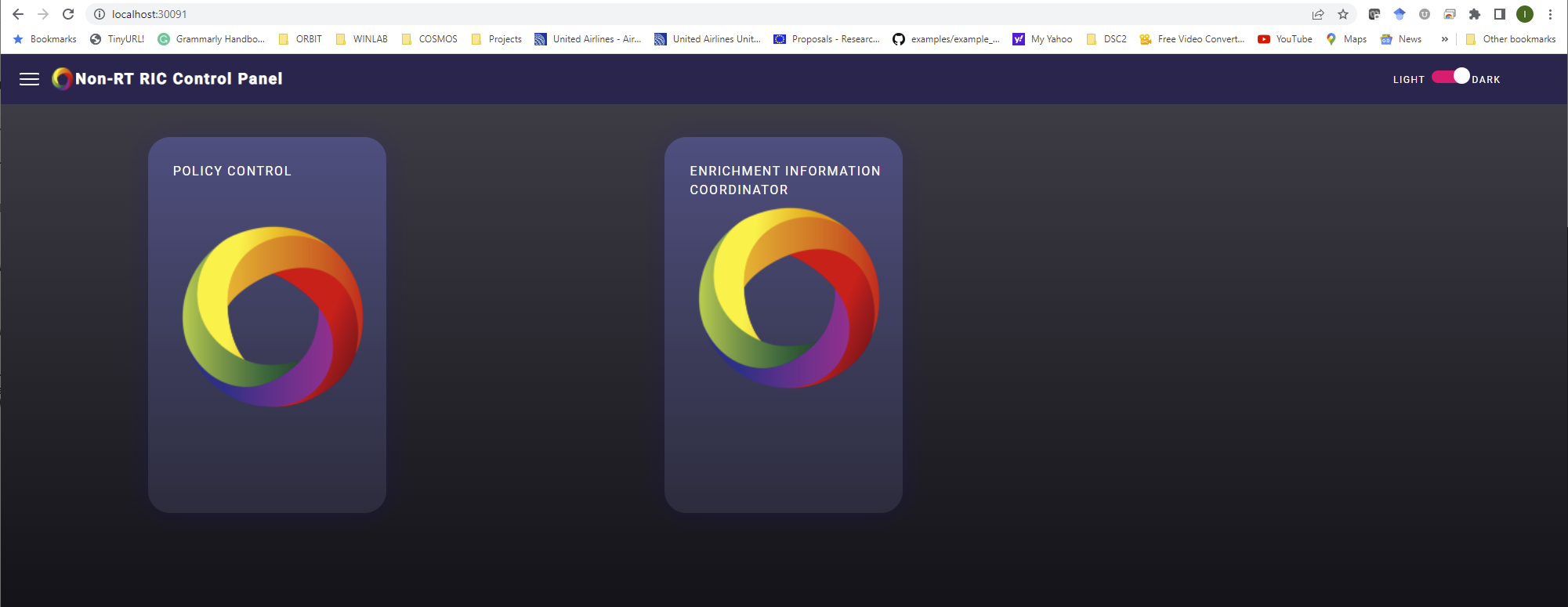
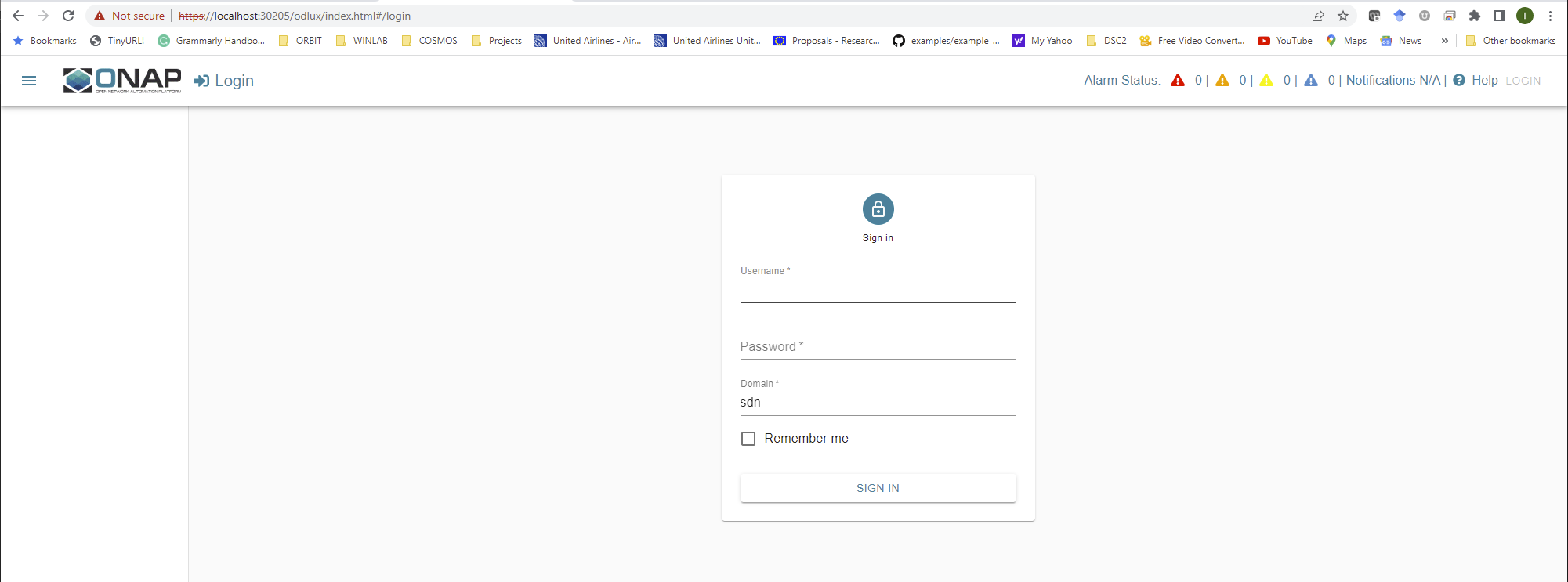
A single large server node (srv1-lg1) runs a Kubernetes cluster that hosts all ONAP and Non-RT RIC pods. No additional nodes or SDR hardware are required. The ONAP dashboard is reachable on port 30091 and the Non-RT RIC control panel on port 30205 — tunnel or VPN these ports from your laptop to the node through the console.
¶ Setup
-
Reserve the resources (see Prerequisites) and log into the console:
ssh <username>@console.sb1.cosmos-lab.org -
Make sure all resources in the domain are turned off before imaging:
omf tell -a offh -t system:topo:allres -
Load the O-RAN image onto
srv1-lg1(this image is large and takes up to 7 minutes):omf load -i oran-20220427.ndz -t srv1-lg1 -r 60 -
Turn the node on:
omf tell -a on -t srv1-lg1 -
Check that the node is up:
omf stat -t system:topo:allres -
Open an SSH session to the node (use
-Yif you need GUI forwarding, and forward dashboard ports if you are not using VPN):ssh -Y -L 30091:localhost:30091 -L 30205:localhost:30205 root@srv1-lg1If you have VPN access that puts your laptop on the COSMOS management subnet, you can access the dashboards directly without port forwarding.
¶ Instructions
¶ Step 1 — Wait for all pods to reach Running/Completed state
After the node boots the Kubernetes services start automatically. Allow approximately 30 minutes for all pods to initialise. Check their status:
root@srv1-lg1:~# kubectl get pods -n onap && kubectl get pods -n nonrtric
Expected output (abridged; some init/completed jobs are normal):
NAME                                               READY   STATUS                            RESTARTS        AGE
onap-dmaap-dr-mariadb-init-config-job--1-hlqc8     0/1     Completed                         0               75m
onap-policy-galera-config--1-tqwwf                 0/1     Completed                         0               70m
onap-policy-clamp-galera-config--1-tnccf           0/1     Completed                         0               70m
onap-nengdb-init-config-job--1-xsbs6               0/1     Completed                         0               68m
onap-sdnc-dbinit-job--1-62vpb                      0/1     Completed                         0               68m
onap-dmaap-bc-dmaap-provisioning--1-5dj7p          0/1     Completed                         0               75m
onap-sdnc-sdnrdb-init-job--1-rmsmb                 0/1     Completed                         0               68m
onap-sdnrdb-master-0                               1/1     Running                           1 (28m ago)     68m
onap-aaf-sms-quorumclient-2                        1/1     Running                           1 (28m ago)     76m
onap-consul-7f67bc4d4f-qgghd                       1/1     Running                           1 (28m ago)     77m
onap-consul-server-0                               1/1     Running                           1 (28m ago)     77m
onap-dbc-pg-primary-74fd9c6b4-fs5kx                1/1     Running                           1 (28m ago)     75m
onap-sdnc-dmaap-listener-765d56c76d-qzkqx          0/1     Init:1/2                          0               68m
onap-aaf-sms-vault-0                               2/2     Running                           2 (28m ago)     77m
onap-mariadb-galera-0                              2/2     Running                           2 (28m ago)     75m
onap-dbc-pg-replica-6c94cf676-4pxxb                1/1     Running                           1 (28m ago)     75m
onap-aaf-sms-quorumclient-0                        1/1     Running                           1 (28m ago)     77m
onap-aaf-sms-quorumclient-1                        1/1     Running                           1 (28m ago)     76m
onap-aaf-cass-7b5ffc99ff-9m6t2                     1/1     Running                           1 (28m ago)     77m
onap-policy-mariadb-0                              2/2     Running                           3 (26m ago)     70m
onap-message-router-zookeeper-0                    1/1     Running                           1 (28m ago)     75m
onap-sdnc-ansible-server-9dcfc6846-kxnp9           1/1     Running                           1 (28m ago)     68m
onap-dcae-healthcheck-8647b8857b-ppdn6             1/1     Running                           2 (26m ago)     76m
onap-aaf-service-576849df76-mrdds                  1/1     Running                           3 (26m ago)     77m
onap-aaf-locate-6786b49d8d-4ngzg                   1/1     Running                           1 (28m ago)     77m
onap-aaf-fs-844878ff4-vjb9j                        1/1     Running                           1 (28m ago)     77m
onap-aaf-oauth-d47557fcb-n7lzq                     1/1     Running                           1 (28m ago)     77m
onap-aaf-cm-84f5df554b-qcc99                       1/1     Running                           1 (28m ago)     77m
onap-aaf-gui-5948c9d4bd-44mpf                      1/1     Running                           1 (28m ago)     77m
onap-policy-clamp-cl-pf-ppnt-84fbbcc979-wnmhd      1/1     Running                           1 (28m ago)     70m
onap-dmaap-bc-78b9bd844-wzr64                      0/1     Init:5/6                          1               75m
onap-policy-clamp-cl-http-ppnt-8587f99d74-9kqt6    1/1     Running                           1 (28m ago)     70m
onap-sdnrdb-coordinating-only-5f87cb6d74-tgc5p     2/2     Running                           2 (28m ago)     68m
onap-policy-clamp-fe-56c59bc9fc-2mr99              1/1     Running                           1 (28m ago)     70m
onap-policy-api-64655b4bbd-rlptb                   1/1     Running                           1 (28m ago)     70m
onap-policy-gui-59b76dd7db-pqw5b                   1/1     Running                           1 (28m ago)     70m
onap-policy-clamp-cl-k8s-ppnt-6ddb58cfbd-8rcj5     1/1     Running                           1 (28m ago)     70m
onap-policy-clamp-be-b8fcc698d-c7fdn               1/1     Running                           1 (28m ago)     70m
onap-policy-clamp-cl-runtime-867fd4765-9zn2s       1/1     Running                           1 (28m ago)     70m
onap-policy-apex-pdp-0                             1/1     Running                           1 (28m ago)     70m
onap-aaf-sms-7885fd9f5c-v8xpq                      1/1     Running                           1 (28m ago)     77m
onap-policy-pap-7dd48d6d69-swbcd                   1/1     Running                           1 (28m ago)     70m
onap-sdnc-dgbuilder-8d946cb6b-jct5g                1/1     Running                           1 (28m ago)     68m
onap-dmaap-dr-prov-6ddbc5595-x9zs7                 2/2     Running                           2 (28m ago)     75m
onap-a1policymanagement-0                          2/2     Running                           2 (28m ago)     77m
onap-dmaap-dr-node-0                               2/2     Running                           2 (28m ago)     75m
onap-sdnc-web-55b974859d-7f72m                     1/1     Running                           1 (28m ago)     68m
onap-dcae-config-binding-service-f95cf8997-7pqj7   4/4     Running                           4 (28m ago)     76m
onap-dcae-ves-collector-7bb58645f6-wjmr7           2/2     Running                           2 (28m ago)     76m
onap-dcae-cloudify-manager-85cfdc498b-p9fq9        1/1     Running                           1 (28m ago)     76m
onap-sdnc-0                                        2/2     Running                           2 (28m ago)     68m
onap-network-name-gen-699cdbd4b5-f9shp             1/1     Running                           13 (21m ago)    68m
onap-aaf-sms-preload--1-xw2z8                      0/1     Init:CreateContainerConfigError   2               77m
onap-message-router-kafka-0                        0/1     CrashLoopBackOff                  8 (3m55s ago)   75m
onap-message-router-0                              0/1     CrashLoopBackOff                  8 (3m28s ago)   75m
NAME                                    READY   STATUS    RESTARTS      AGE
a1-sim-std-0-7d7d6d5b69-q4tf8           1/1     Running   1 (28m ago)   67m
a1-sim-std-1-6d7b644cbb-vhndk           1/1     Running   1 (28m ago)   67m
a1-sim-std2-0-64cc667968-m6rp6          1/1     Running   1 (28m ago)   67m
a1-sim-osc-1-5bb7478885-25rmb           1/1     Running   1 (28m ago)   67m
topology-6c5cd99d6d-qnrzr               1/1     Running   1 (28m ago)   67m
helmmanager-0                           1/1     Running   1 (28m ago)   67m
a1-sim-std2-1-b668b97df-662zs           1/1     Running   1 (28m ago)   67m
rappcatalogueservice-765d8c69fd-zp57s   1/1     Running   1 (28m ago)   67m
dmaapadapterservice-0                   1/1     Running   1 (28m ago)   67m
a1-sim-osc-0-547cc8fc84-fmddw           1/1     Running   1 (28m ago)   67m
informationservice-0                    1/1     Running   1 (28m ago)   67m
nonrtricgateway-689d9cf595-gltwm        1/1     Running   2 (27m ago)   67m
dmaapmediatorservice-0                  1/1     Running   3 (26m ago)   67m
oran-nonrtric-kong-594db9cb8b-pqbhg     2/2     Running   8 (26m ago)   67m
controlpanel-6fb4f88778-rl5gx           1/1     Running   4 (26m ago)   67m
oru-app-cd86cbb85-9wbck                 1/1     Running   1 (28m ago)   67m
Note: A small number of pods in
CrashLoopBackOff(e.g.onap-message-router,onap-message-router-kafka) andInit:CreateContainerConfigError(e.g.onap-aaf-sms-preload) are observed in the reference snapshot output above and may be expected for this image version. The core ONAP and Non-RT RIC services are functional regardless.
¶ Verification
kubectl get pods -n onapshows the majority of pods inRunningorCompletedstate.kubectl get pods -n nonrtricshows all Non-RT RIC pods inRunningstate.- The ONAP dashboard is reachable at
http://localhost:30091(if you set up port forwarding in Setup step 6). - The Non-RT RIC Control Panel is reachable at
http://localhost:30205(if you set up port forwarding).
¶ Cleanup
omf tell -a offh -t system:topo:allres
No omf save is needed unless you modified the image and want to preserve your changes.
¶ Troubleshooting
| Symptom | Likely cause | Fix |
|---|---|---|
Pods still Pending or ContainerCreating after 30 min |
Kubernetes is still pulling or initialising container images | Wait longer; check kubectl describe pod <pod-name> -n onap for details |
onap-message-router / kafka in CrashLoopBackOff |
Known issue in this image snapshot | These pods are not required for the basic O-RAN control-plane experiment; proceed with the tutorial |
Dashboard not reachable at localhost:30091 |
Port forwarding not configured | Re-SSH with -L 30091:localhost:30091 -L 30205:localhost:30205, or use COSMOS VPN |
omf load fails or times out |
Image too large for default timeout | Add -r 60 to increase the retry/timeout window (already included in the Setup command above) |
Node does not come up after omf tell -a on |
Rare hardware issue | Check omf stat -t system:topo:allres; try omf tell -a off then on again |
¶ References
- Build the O-RAN image from source
- COSMOS domains and hardware
- Getting started / Make a reservation
- SSH access
- ONAP documentation
- O-RAN SC Non-RT RIC
Author(s): COSMOS team · Last verified: Not re-tested (migrated 2026-06-20) · Tested image/release: oran-20220427.ndz · Tags: oran, onap, nonrtric, kubernetes, 4g5g, o-ran